Overview
The following article covers the necessary steps to set up authentication for libraries using Apollo authentication through Biblionix
Apollo Automation System
The Apollo ILS (Integrated Library System) was designed from the ground up by practicing librarians to be a hosted ILS for public libraries. This provides our customers with amazing efficiencies and connectedness. And those customers are only public libraries. Apollo customers say it is easy to use and dramatically increases ease of use and efficiency. Your staff will be able to accomplish more and deliver more to patrons with less time.
Set Up with Biblionix
From Brainfuse side the Single Sign Specification using Oauth needs to be completed with Biblionix. We need to contact Biblionix, currently the contacts at Biblionix are Xan Charbonnet and Clark Charbonnet, and send them the main consumer key and secret using the promo code of the main student category for the account.

Make sure the Basic LTI configuration is completed so Biblionix can test the access.
Set Up for Libraries
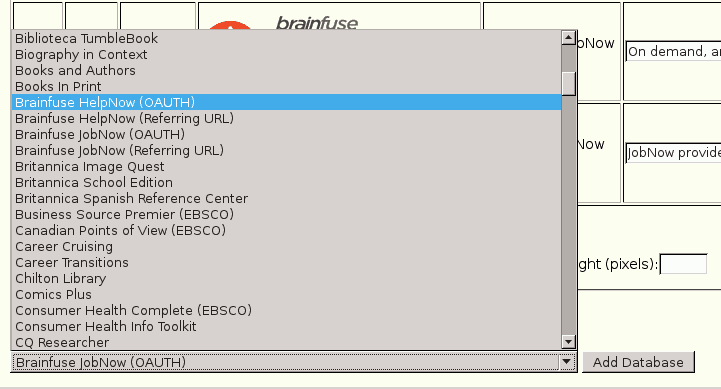
Once Biblionix has confirmed that the library’s authentication is set we can let the library know that all they need to do is check the boxes to activate their Brainfuse icons in Apollo's Setup | Databases/e-Resources, and then ask them to test the access and let us know when the links are ready to go.

If the librarian does not see the Brainfuse icons they can add the database as shown in the image below, but we can also ask our contacts at Biblionix to make sure the icons appear in their account.